UKVI and Share codes: How to prove your status digitally
Click the picture or the link to view the image, share, or download it.
UKVI and Share codes How to prove your status digitally
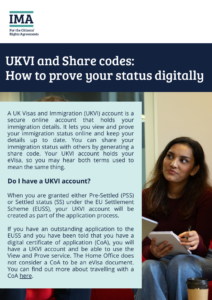
The wording on the image is included below:
UKVI and Share codes: How to prove your status digitally
A UK Visas and Immigration (UKVI) account is a secure online account that holds your immigration details. It lets you view and prove your immigration status online and keep your details up to date. You can share your immigration status with others by generating a share code. Your UKVI account holds your eVisa, so you may hear both terms used to mean the same thing.
Do I have a UKVI account?
When you are granted either Pre-Settled (PSS) or Settled status (SS) under the EU Settlement Scheme (EUSS), your UKVI account will be created as part of the application process. If you have an outstanding application to the EUSS and you have been told that you have a digital certificate of application (CoA), you will have a UKVI account and be able to use the View and Prove service. The Home Office does
not consider a CoA to be an eVisa document. You can find out more about travelling with a CoA here.
How to access your UKVI account
You can access your UKVI account to update some of your personal details, to generate a share code, or to view your eVisa.
To access your UKVI account, you will need to login with the following details:
- the identity document you used when creating your account (passport or national ID card)
- your date of birth
- phone number or email address you used when creating your account (if you have lost access to your phone or email, you can recover your UKVI account here)
The Home Office has made a helpful video guide.
What is a share code?
A share code is a unique combination of letters and numbers that lets you prove your immigration status. It will look like a combination of letters and numbers. Here is an example share code:
SB9 3NG ZKE
You can write down your share code, screenshot it, print it out, email it, or say the code over the phone.
How to generate your share code
- login to your UKVI account
- choose from the list on screen the reason you are sharing your information (for example, to prove your right to work, or to travel)- it is important to choose the correct reason
- you will then see a preview of the information that will be sharedwhich summarises your immigration status
- click ‘create share code’
When you travel with PSS or SS
Your eVisa will be checked automatically when you show your identity document to a carrier or border control. Home Office guidance states that you may also be asked to provide additional proof of your immigration status, such as a share code.
Once generated, a share code is valid for 90 days. If you generate your share code before travelling, make sure you do it within 90 days of your return to the UK and carry an offline copy in case you have trouble accessing WIFI at the border. You may want to also bring a copy of the preview page summarising your immigration status so you can easily double check all your details when speaking to carriers and border control.
It is also important that before travelling, you check that:
- your eVisa shows the correct details
- your UKVI account is up to date with your most recent passport and personal details
- your details exactly match the passenger information yougive to your carrier
You will need to make sure that the passport or travel
document you’re using for your journey is added to your UKVI
account.
Keep your details up to date
If any of your identity documents or personal details change, you will need to make sure you update your UKVI account. This will allow you to continue to access your account and prove your immigration status.
